
How to Register for Your PVC Online in 5 Simple Steps

Written By: Adetunji Matthew – Proffmatt
Last Updated on: March 13, 2025


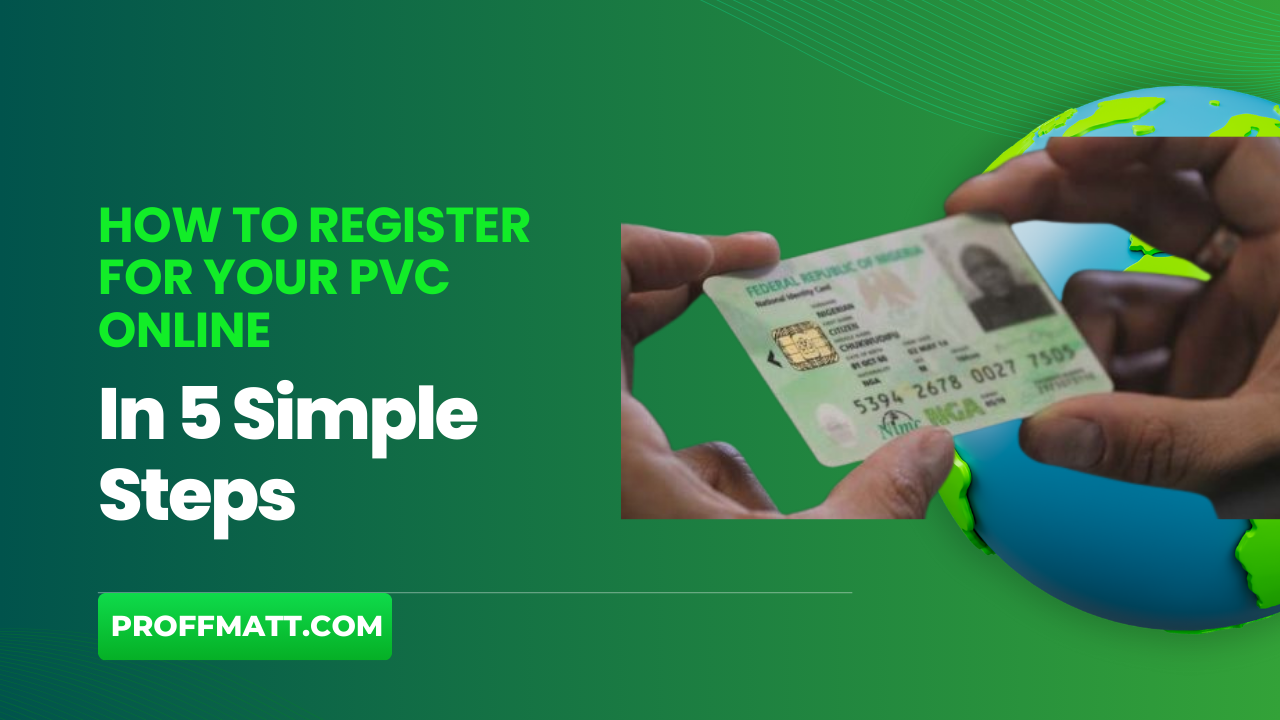
Registering for your Permanent Voter Card (PVC) is essential for anyone who wants to participate in elections. It ensures your voice is heard and your vote counts. With the convenience of online registration, the process has never been easier.
In this post, we’ll walk you through five simple steps to register for your PVC online. Whether you’re new to voting or need to update your information, these steps will help you get started quickly and without hassle. Get ready to take control of your voting journey. Let’s dive in!
Key Takeaways
- PVC Registration Importance: A Permanent Voter Card (PVC) is required to vote, making it your key to participating in elections.
- Benefits: Enables voting in all elections, serves as valid ID, fosters civic responsibility, and strengthens your impact on decisions affecting your community.
- Step-by-Step Process:
- Visit the official registration website to avoid scams and ensure secure processing.
- Create an account using accurate personal details like your name, address, and ID number.
- Fill out the registration form carefully, checking all fields for accuracy.
- Upload necessary documents, including a valid ID, proof of residence, and recent photo.
- Review and submit your application for processing to finalize registration.
- Troubleshooting Tips: Address website errors, upload issues, or incomplete details promptly; common rejection reasons include missing or incorrect information and ineligibility.
- Act Now: Completing PVC registration secures your voting right and contributes to your community’s future.
Understanding PVC Registration
When it comes to participating in elections, having a Permanent Voter Card (PVC) is a key step in making your voice heard. Understanding what a PVC is and the benefits of registering for one can empower you in the democratic process.
What is a PVC?
A Permanent Voter Card (PVC) is an official identification card issued to eligible voters in many countries, allowing them to participate in elections. Think of it as your ticket to democracy—it lets you exercise your right to vote. Without a PVC, you may face difficulties casting your ballot. This card not only verifies your identity at polling stations but also confirms your eligibility to vote in local, state, and national elections.
The significance of the PVC extends beyond just being a voter ID. It symbolizes your active participation in the democratic process. By registering for a PVC, you take a concrete step towards asserting your rights and influencing the decisions that impact your community and country.
Benefits of PVC Registration
Registering for your PVC comes with several important benefits that enhance your role in the electoral process. Here are some key advantages:
- Participation in Elections: A PVC is a prerequisite for voting. With it, you can engage in every election that matters to you, from local issues to major national referendums.
- Empowerment: Having a PVC empowers you to express your opinions on the issues that affect you and your community. Your vote is your voice, and a PVC ensures that voice is heard.
- Access to Other Services: In many cases, your PVC can also serve as valid identification for various services, whether it’s applying for government programs or opening a bank account.
- Civic Responsibility: Registering for a PVC is a step towards fulfilling your civic duties. It encourages involvement in community discussions and heightens awareness of local and national issues.
- Influence: Each vote contributes to shaping policies and leadership. When you register for your PVC, you help determine the direction of your community and country.
Understanding the significance of PVC registration helps you appreciate the power of your vote. Embracing this civic duty strengthens democracy and ensures that everyone’s voice is included in the conversation.
Step 1: Visit the Official PVC Registration Website
The first step in registering for your Permanent Voter Card (PVC) online is visiting the official registration website. This is an important move in ensuring that you access accurate information and a legitimate registration platform. Using the official site helps you avoid scams or fake registration forms that can steal your personal information.
Finding the Official Website
To start, you’ll need to search for the official PVC registration website, typically run by the government or electoral commission relevant to your location. You can easily find it by typing in specific keywords like “official PVC registration” along with your country or state name in your favorite search engine. Look for URLs that end with “.gov” or your country’s recognized electoral domain.
Here are a few suggestions on how to ensure you’re on the right site:
- Check the URL: Ensure it looks professional and matches officially recognized domains.
- Look for Security Indicators: The website should have a padlock icon in the address bar, indicating that it is secure.
- Official Logos and Branding: Legitimate sites usually carry government logos or familiar branding.
The Importance of Using the Official Site
Using the official PVC registration website is crucial. It guarantees that your personal data is safe, and you’re following the proper protocols set by your government. Here are some key reasons why using the official site is essential:
- Data Security: Official sites implement security measures that protect your personal information. When you provide details such as your name, address, and identification numbers, you want to ensure these are protected.
- Accurate Information: The official site should offer the most accurate and up-to-date information regarding PVC registration requirements, timelines, and procedures. This helps you avoid any mistakes that could delay your registration.
- Avoid Scams: Fake registration sites can appear convincing but might sell your data or lead you to unnecessary fees. Sticking to the official site helps you steer clear of such risks.
- Guided Process: Most official sites will guide you through the registration process step-by-step. They often provide FAQs, contact details for assistance, and resources tailored to help you succeed in your registration.
Taking these precautions while visiting the official site is crucial. It’s your first step toward participating fully in elections and ensuring your voice is heard in the democratic process. Remember, becoming an informed voter starts with using the right resources!
Step 2: Create an Account
Creating an account is your next step in registering for your Permanent Voter Card (PVC) online. This process is straightforward but requires you to provide specific personal information. It’s important to do this carefully to ensure your registration goes smoothly.
Required Information
When setting up your account, you’ll need to provide several key pieces of personal information. Here’s what to have ready:
- Full Name: Enter your first name, middle name (if applicable), and last name as they appear on your legal documents.
- Email Address: Use a valid email that you can access. This will be used for confirmations and updates.
- Phone Number: Provide a phone number where you can be reached. This could be helpful for account recovery or verification.
- Date of Birth: Your date of birth confirms your eligibility to register.
- Residential Address: This should match the address where you live and vote. Be precise; errors can cause delays.
- Identification Number: This could be your national ID number, Social Security number, or another government-issued ID, depending on your country’s requirements.
Having all this information at hand makes the process quicker and reduces the chances of making mistakes. Double-check everything before you hit submit. Accuracy is key to a successful registration.
Account Security Tips
Once you’ve provided your information, it’s crucial to focus on securing your account. A little diligence here can protect you from potential threats. Here are some useful tips:
- Choose a Strong Password: Avoid common passwords like “123456” or “password.” A strong password should be at least eight characters long and include a mix of letters, numbers, and symbols.
- Enable Two-Factor Authentication: If the registration site offers this option, take advantage of it. This adds an extra layer of security by requiring a second form of verification, often sent to your phone.
- Keep Your Information Private: Never share your login details with anyone. Always log out after completing your session, especially on shared devices.
- Regularly Update Your Password: Change your password every few months to help protect your account from unauthorized access.
- Watch for Phishing Attempts: Be cautious of emails or messages that ask for personal information. Always double-check the sender’s address before clicking any links.
Taking these steps not only secures your account but also gives you peace of mind. Protecting your personal information is essential, especially when it comes to something as important as your voting rights. By prioritizing account security, you can focus more on the exciting journey of participating in elections.
Step 3: Fill Out the Registration Form
Once you have created your account, the next step is to fill out the registration form. This step is crucial as it involves providing essential personal information that will determine your eligibility to receive a Permanent Voter Card (PVC). Take your time to ensure that all information is accurate. Let’s break down what you’ll need to complete this form.
Personal Information Needed
The registration form consists of various sections that require specific details. Here’s what you can expect to fill out:
- Identification Details: This usually includes your full name, date of birth, and gender. Make sure your name matches your legal documents to avoid any discrepancies.
- Contact Information: You’ll need to provide your current phone number and a valid email address. This information is important for communication regarding your registration status.
- Residential Address: Enter your home address accurately. Include your street name, city, state, and ZIP code. This information helps confirm your voting district.
- Identification Number: Depending on your country’s requirements, you may need to enter a national identification number or another form of ID. Be sure to check what’s needed in your region.
- Occupation: Some forms may ask for your job title or profession. This helps in the demographic profiling of registered voters.
Each section is designed to collect critical information about you. Filling this out thoroughly will help streamline your application and reduce processing time.
Tips for Accurate Entry
To ensure that your registration goes smoothly, follow these tips:
- Double-Check Information: Before submitting, review all entries carefully. Even small typos can lead to issues or delays.
- Use Official Documents: Refer to your ID or other official documents while filling out the form. This reduces the risk of making errors.
- Stay Updated: If you’ve recently moved or changed your name, update that information. Keep your registration current to avoid complications on voting day.
- Avoid Abbreviations: Write out full names for streets and cities. Using abbreviations may confuse the processing system and lead to issues.
- Be Honest: Always provide truthful information. Falsifying details can lead to penalties or denial of your registration.
- Use Clear Formatting: When entering your address or contact information, use clear formatting—like separating your street address from the city with commas—to enhance readability.
Filling out the registration form is a vital step in securing your PVC. By providing accurate information and following these tips, you can ensure a smooth registration process. Your attention to detail now can help you participate fully in the democratic process later.
Step 4: Upload Required Documents
After filling out the registration form, you’ll need to upload several important documents to complete your PVC registration. This step ensures that your identity is verified and your application is processed efficiently. Let’s explore what documents you need and how to upload them correctly.
List of Required Documents
Before you start the upload process, make sure you have the following documents ready:
- Identification Card: This can be a government-issued ID, such as a passport, driver’s license, or national ID card. Ensure that it clearly shows your name and photo.
- Proof of Residence: A utility bill, bank statement, or rental agreement can serve as proof of your current address. This document should include your name, address, and date.
- Recent Passport Photograph: A recent photo that meets the specified requirements is often needed. This photo will be used for your PVC.
- Birth Certificate: In some cases, you might need to upload a copy of your birth certificate or any document that proves your date of birth.
- Additional Documentation: Check the registration website for any additional requirements specific to your location. Some areas may require further identification or documents.
Ensure that all documents are current and valid. Providing the right paperwork is crucial for a smooth registration experience.
Document Upload Guidelines
When you’re ready to upload your documents, follow these guidelines to avoid common pitfalls:
- File Format: Most registration sites accept documents in formats like PDF, JPG, or PNG. Check the website for specified requirements.
- File Size: Your documents should typically be under 5MB. If they’re too large, consider compressing the files or using a lower resolution for images.
- Document Clarity: Ensure that all text in your documents is legible. If you’re scanning a physical document, use a high-resolution setting.
- Keep Original Files: Always keep a copy of the original files for your records. This way, you can access them if any issues arise in the future.
- Avoid Cropping Important Information: Make sure that all necessary details are visible in your uploaded documents. Cropping too close can lead to missing information.
Uploading your documents correctly is essential for completing your PVC registration. Take your time to check that everything is accurate and meets the specifications. Following these guidelines will help you move smoothly through the registration process.
Step 5: Submit Your Application
Submitting your application is a critical final step in registering for your Permanent Voter Card (PVC). Once you’ve filled out the registration form and uploaded your documents, it’s time to ensure everything is accurate and officially submit your application. Taking a moment to double-check your information can save you time and potential headaches later.
Reviewing Your Application
Before hitting that submit button, take a close look at your application. It’s easy to overlook small details, but these can make a big difference. Here are some things to check:
- Personal Information: Confirm that your name, date of birth, and address are correct. Mistakes here could affect your eligibility.
- Contact Details: Ensure your email and phone number are accurate. You’ll want to receive updates about your application status.
- Document Uploads: Double-check that the right documents have been uploaded. Make sure they are clear and legible.
- Spelling and Formatting: Look for any typos or formatting issues. Even a misplaced comma can lead to confusion.
Taking the time to review your application now can prevent delays in processing. If everything looks good, you’re ready to submit!
What Happens After Submission
Once you submit your application, it enters a review process. Here’s a brief overview of what to expect next:
- Application Processing: Your submission will be processed by the electoral commission. This may take a few days to weeks, depending on the volume of applications.
- Receiving Confirmation: After processing, you should receive a confirmation email or notification. This will usually contain details about your application status.
- Checking Application Status: Many registration sites allow you to check the status of your application online. Make sure to keep your confirmation details handy, as you’ll need them to log in to check your status.
If your application is accepted, you’ll receive your PVC in the mail. If there are any issues, the electoral office will likely reach out to you for clarification or additional information.
Staying informed about your application status is key. It helps you prepare for upcoming elections and ensures you’re ready to cast your vote.
Common Issues and Troubleshooting
Even with a straightforward process, applicants may run into issues while registering for their Permanent Voter Card (PVC) online. Understanding these common problems and knowing how to fix them can make your experience smoother and less stressful. Here are some technical difficulties you might encounter and reasons your application might get rejected.
Technical Issues During Registration
Technical problems can hinder your registration process. Here are some common issues and how to solve them:
- Website Errors: If the website is down or not responding, try refreshing the page. If that doesn’t work, wait a bit and try again later. You can also check social media or local news for updates about site outages.
- Slow Internet Connection: A slow or unstable connection can cause issues. Make sure you’re connected to a reliable network. If possible, switch to a wired connection or a location with better Wi-Fi.
- Form Submission Failure: If your application doesn’t submit, check for error messages on the screen. Often, it’s because required fields are missing or filled out incorrectly. Make sure every section is completed, and that all documents are uploaded correctly.
- Document Upload Problems: Sometimes, documents can fail to upload due to size or format issues. Ensure your files meet the site’s requirements. If you’re unsure how to compress or change file formats, free online tools can help.
- Forgotten Password: If you forget your account password, use the “Forgot Password” option. Follow the prompts to reset your password. It’s a good idea to check your email’s spam folder if you don’t see the reset link right away.
By preparing for these potential issues, you can simplify your registration process and tackle problems head-on.
Application Rejection Reasons
Receiving a rejection notice can be frustrating, but understanding the reasons behind it can help you reapply successfully. Here are some common reasons applications get rejected, along with guidance on how to improve your next attempt:
- Incomplete Information: If any part of your application is missing or incomplete, it will likely be rejected. Take the time to double-check each section. Ensure all required fields are filled out, and your documents are included.
- Incorrect Details: Even minor mistakes in your name, date of birth, or address can lead to rejection. Always cross-reference the information you provide with your identification documents. Pay attention to spelling and formatting.
- Insufficient Identification: You may need to submit specific documents to verify your identity. Check the requirements for your region and ensure you provide all necessary identification documents. Include anything that supports your residency, like utility bills or bank statements.
- Legal Ineligibility: In some cases, applicants might not meet eligibility criteria. Check local regulations to ensure you’re qualified to register. If you’ve had voting issues in the past, reach out to local authorities for clarification.
- Late Submission: Be mindful of registration deadlines. If your application is submitted past the cutoff date, it will be rejected. Keep an eye on relevant deadlines to ensure you register on time.
After identifying the reason for rejection, gather the correct information and reapply with confidence. Each step you take improves your chance of successfully obtaining your PVC.
Conclusion
Registering for your PVC online is a straightforward way to ensure your voice is heard in elections. By following the five simple steps outlined, you gain access to your voting rights with minimal hassle.
Remember, completing this process empowers you to participate in the democratic process actively. Your vote matters, and having your PVC is the first step toward making a difference in your community.
Take a moment today to start your registration. If you have questions or experiences to share, leave your thoughts in the comments. Your journey to being a responsible voter begins now!
Filed under:
Author:Adetunji Matthew – Proffmatt
Hi, I’m Adetunji Matthew! I am founder of Proffmatt.com, where I share my journey and help others build successful online businesses.


Leave a Reply